
Create a Campaign in Tremendous
Set up a campaign in Tremendous that will then be used in Retain to fund your reward program.
Now that we've done the first initial connection, we need to set up a campaign in Tremendous that will then be used in Retain to fund your reward program.
You'll get onscreen instructions shown in the image below that will walk you through creating that campaign.
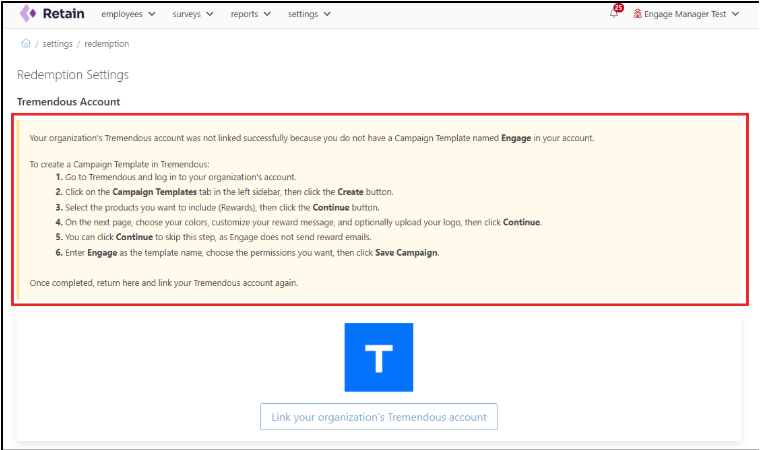
These same steps are outlined below.
Go to Tremendous and log in to your organization’s account.
Click Campaign Templates in the left sidebar, then Create campaign.

Select the products (rewards) you want to include, then Continue.
Note: Some organizations may have restrictions on the types of rewards they can offer employees. Tremendous provides options such as gift cards, charitable donations, and other reward types. Each organization is responsible for ensuring compliance with its internal policies.

On the next page, choose your colors, customize your reward message, and optionally upload your logo. Click Continue.

Click Continue to skip this step, as Retain does not send reward emails.
Enter Engage as the template name and choose your desired permissions under Advanced options. Click Save campaign.

Important: Your organization manages and funds the Tremendous account. Activated Insights does not fund or manage it.
Your organization may have internal policies about the types of rewards you can offer. Tremendous provides options such as:
- Gift cards
- Charitable donations
- Other reward types
It's your organization's responsibility to keep reward options in line with your internal policies.