
Recognition & Rewards Metrics
View your points data in Reports.
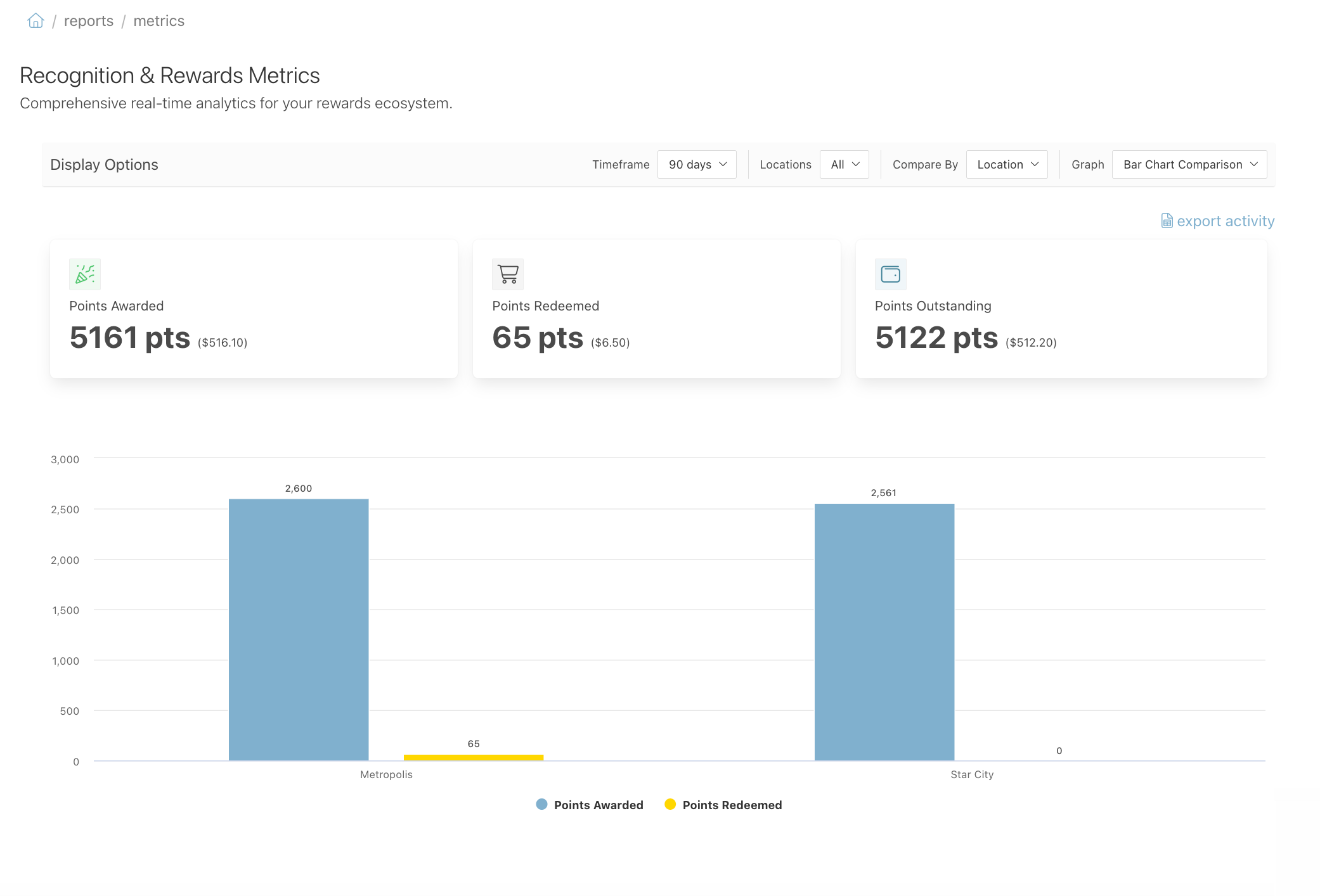
See a report of the points awarded, redeemed, and outstanding across your organization. Each figure also shows its dollar value.
Available Metrics
This report shows:
- Points Awarded — Total points given through recognition and events.
- Points Redeemed — Total points redeemed for rewards.
- Points Outstanding — Total points across all accounts that are still available to redeem.
Each figure shows the point total and its dollar value. The chart below breaks the points down so you can compare across locations or departments.
Use This Report
Go to Reports > Redemption: Metrics.

Use the filters at the top of the page to narrow the data:
- Timeframe
- Location
- Compare By
- Display type

Click export activity to download the data as a CSV file. Each transaction is on its own line, and the download starts on its own.
